WordPress, fixing Chrome’s Admin Bar glitch – CSS & GPU compositing
Introduction
If you’ve ever found a WordPress page “sticking”, glitching, or repeating itself when the Admin Bar is active, especially in a Chromium based browser, you’re not alone.
I recently spent far too long chasing some particularly nasty bugs on this sites’s homepage where a couple of sections would misbehave whenever the Admin Bar was present. Here’s how I tracked them down, what I changed, and why it finally worked.
TL;DR shortlist
- Avoid
background-attachment: fixedon<body>as it’s aGPUcompositing nightmare with fixed elements. - Never use
transition: allon interactive blocks… be specific. - Use a
body::beforepseudo-element for fixed backgrounds. - Always test with the Admin Bar active (not just logged out!)
The problem
The homepage looked fine until you logged in. With the Admin Bar visible, scrolling would cause the “Dates” and “Popular Articles” sections to stick, flicker, or even duplicate.
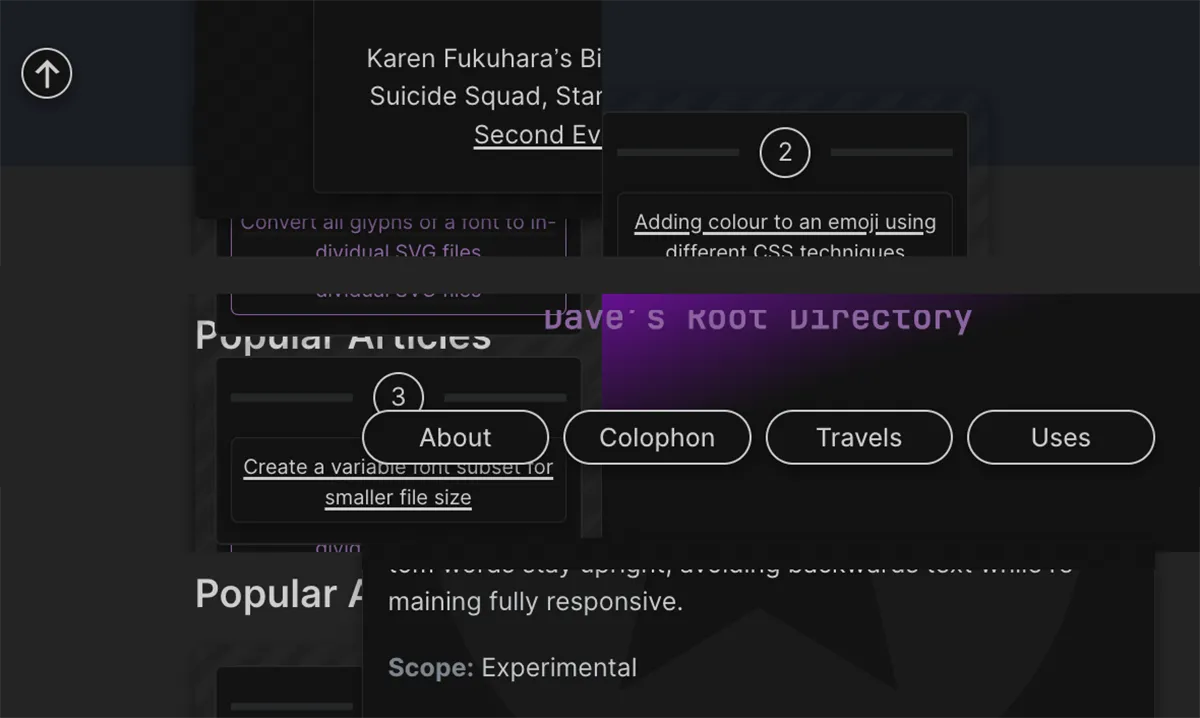
The culprit? A perfect storm of CSS features that didn’t play nicely together in Chrome’s rendering engine (versions 144 – 145.)
The fix
Step 01. Ditch background-attachment: fixed
This property, when used on <body>, forces Chrome to repaint the entire page on every scroll frame if any position: fixed element (like the Admin Bar) is present.
The solution? Move the gradient background to a body::before pseudo-element, set to;
position: fixed;
z-index: -1;
pointer-events: none;
This keeps the background visually fixed without triggering GPU chaos.
Step 02. Replace transition: all
Using transition: all on blocks like .icon, .item-link and .num meant every property changed, including those triggered by scrolling or when a browser layout got animated.
Apparently this is a recipe for disaster, so I replaced those with property-specific transitions;
.iconnow only transitionsbox-shadow..item-linkand.itemonly transitioncolorandborder-color..numtransitionsbackground-color,color, andbox-shadow.
For example, changing;
transition: var(--effect__transition); // Transition → all…To;
transition:
  background-color 0.4s ease-in-out,
  color 0.4s ease-in-out,
  box-shadow 0.4s ease-in-out;
Step 03. Progress bar offset
As an added bonus I also addressed the issue that the progress bar at the top of the page was fighting for space with the Admin Bar. I added a .admin-bar & rule to offset it by 32px (46px for mobile.)
// SCSS
.admin-bar & {
  top: 32px;

  @media screen and (max-width: 782px) {
    top: 46px;
  }
}
Final thoughts
This was a classic case of “the right fix is the one you can’t see.” No more flickering, no more sticky repeats, just a smooth, Admin Bar friendly homepage. If you’re fighting similar bugs, check your CSS for these patterns. And as always… test logged in, not just logged out. 😉
// End of Article
Article Information
Further Reading
- Download Chrome (google.com)
- Download WordPress (wordpress.org)
- WordPress Admin Bar (wordpress.com)
About Dave A.K.A. 'barrd'
