Contact Form 7 now natively supports Cloudflare Turnstile
Introduction
About three months ago I wrote an article on how to protect Contact Form 7 with Cloudflare’s Turnstile. Whilst the use of the advocated plugin is still valid, CF7 version 6.1 has introduced the means to natively integrate Turnstile without having to use that additional software.
Native integration vs Turnstile plugin
If you only have a requirement to protect CF7 forms then the native approach is for you… read on.
However, if you wish to include native WP forms or those from another plugin (WooCommerce or Gravity Forms as examples) then the Turnstile plugin will be the better choice. There are facilities in its settings page to configure them, you can read more following this internal link.
Setting it all up
You’re going to require a Cloudflare account so I will assume at this point you have one.
Cloudflare
In the left hand menu, under WAF, you’ll see a link to Turnstile. Click the link and follow the instructions to include a widget, you can have multiple instances and each is known as a Turnstile Widget. Once complete you’ll be given access to Site & Secret Keys, you’ll need that data for configuring the CF7 module.
Contact Form 7 Turnstile Module
Head to Admin > Contact > Setup integration > Turnstile and click the Setup integration button. You’ll be presented with the configuration setup below.
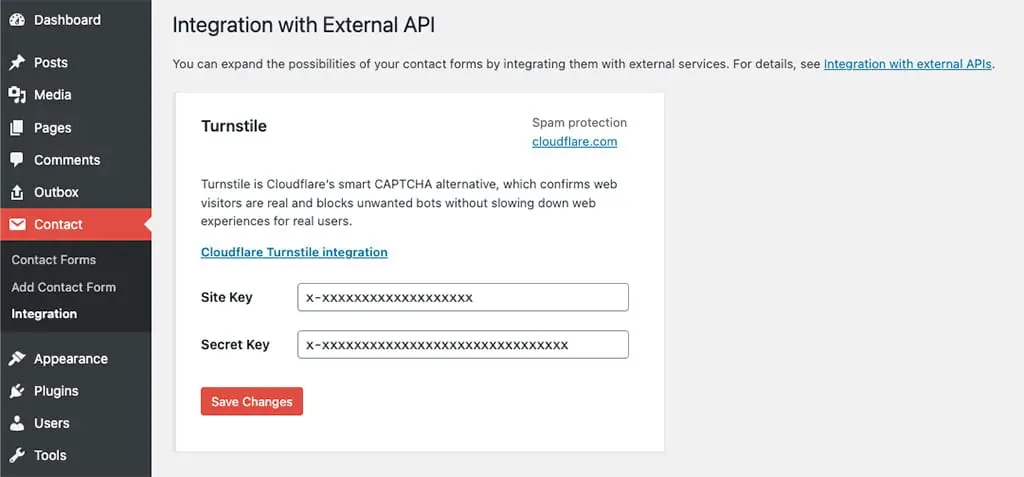
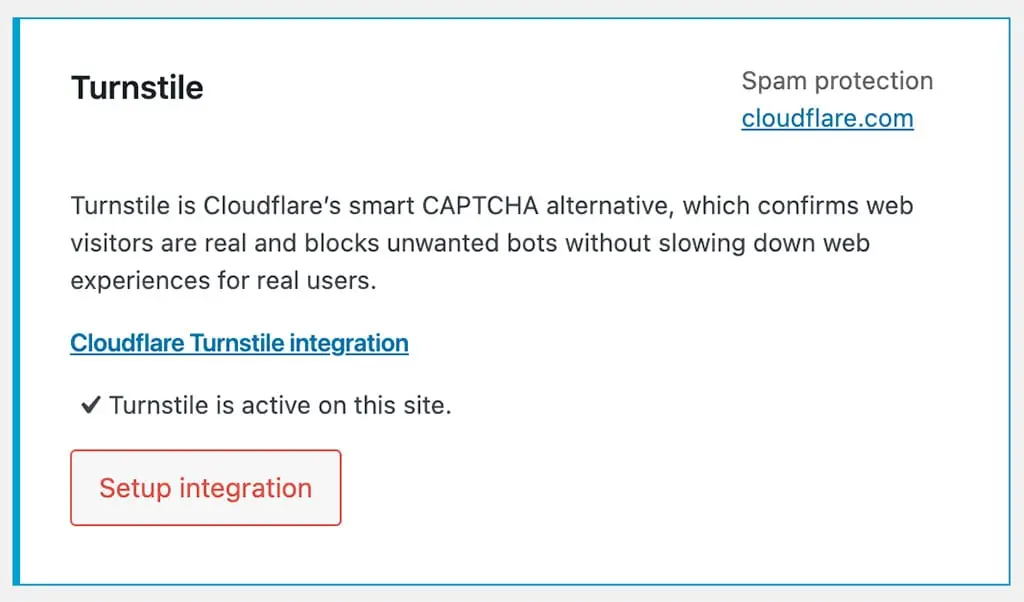
When the Site & Secret Keys have been added and clicking Save changes produces no errors you are set. Returning back to the CF7 integrations page you will see that the changes have been accepted and Turnstile is now active on your site (see below.)
Extra options
CF7 Turnstile widget
The widget will appear at the top of all forms by default, in order to change its location you can insert a…
[turnstile]…form-tag in your form template where you’d like to be placed.
CF7 Turnstile widget size
By default the ‘normal’ setting will be used size wise, however you can change to one of the following;
NormalFlexible- or
Compact
Using syntax like;
[turnstile size:compact]Further information about the widget sizes can be found on the Cloudflare developer site.
Final thoughts
It’s always a good day when you can remove a plugin, especially when its dependency provides native support allowing you to do so. Takayuki Miyoshi (CF7’s author) is continually addressing software updates and their consequences in a positive, well thought out manner, kudos to him.
If you’d like to know what else is new in CF7 version 6.1, click here.
// End of Article
Article Information
Further Reading
- Cloudflare Homepage (cloudflare.com)
- CF7: Cloudflare Turnstile integration (contactform7.com)
- Cloudflare Turnstile WordPress Plugin (wordpress.org)
- Cloudflare Dev Docs on widget sizes (developers.cloudflare.com)
About Dave A.K.A. 'barrd'
