WordPress, hide a plugin from the installed plugins list
Introduction
If you’ve ever created a plugin with custom functionality outside of what would normally go inside a theme but don’t want the client to have the ability to deactivate it, what do you do? As of WordPress 6.3 there is a filter (plugins_list) that can achieve this by hiding a plugin (or plugins) from the installed plugin list.
Examples of what it will look like
Following are the standard and must-use / mu plugin screens with all plugins and their corresponding versions with two items ‘hidden’ (filtered out.)
What to look for gallery

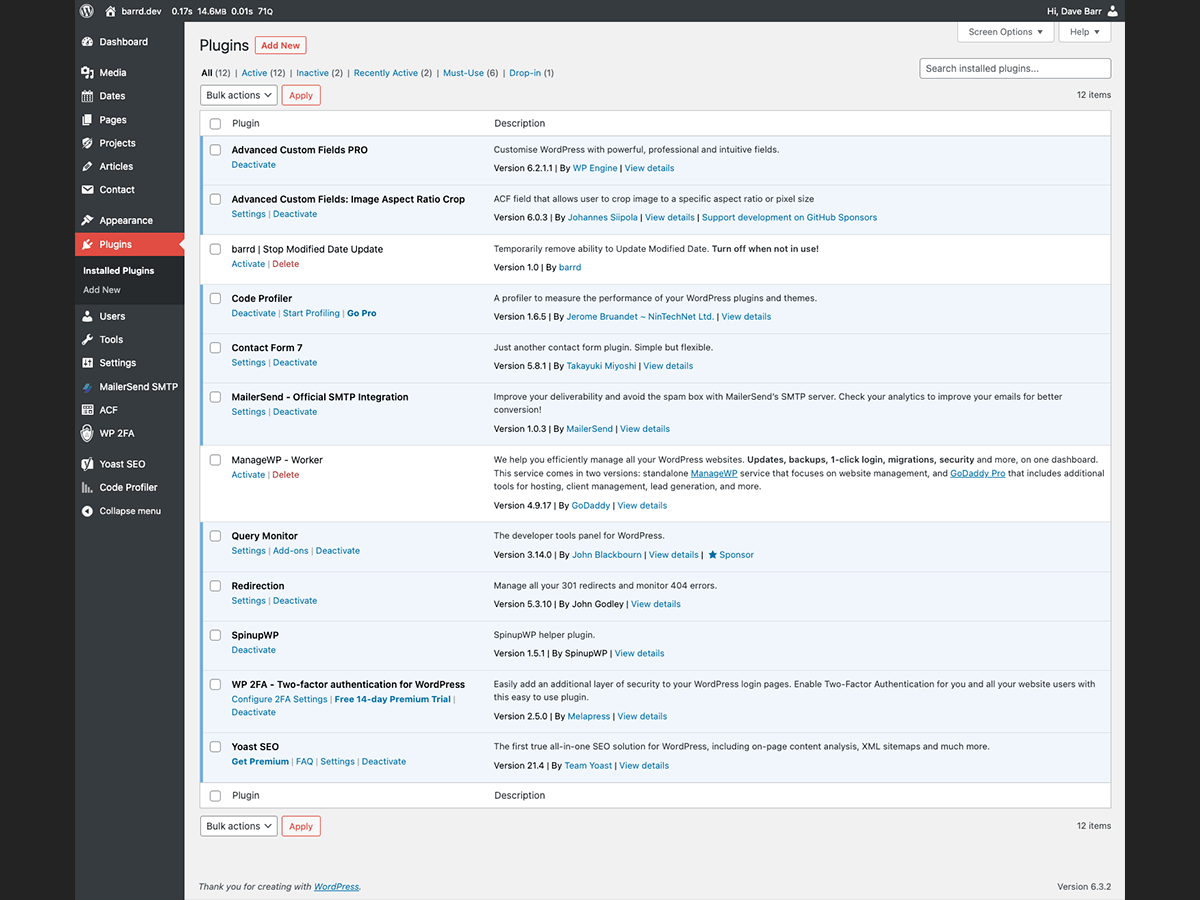
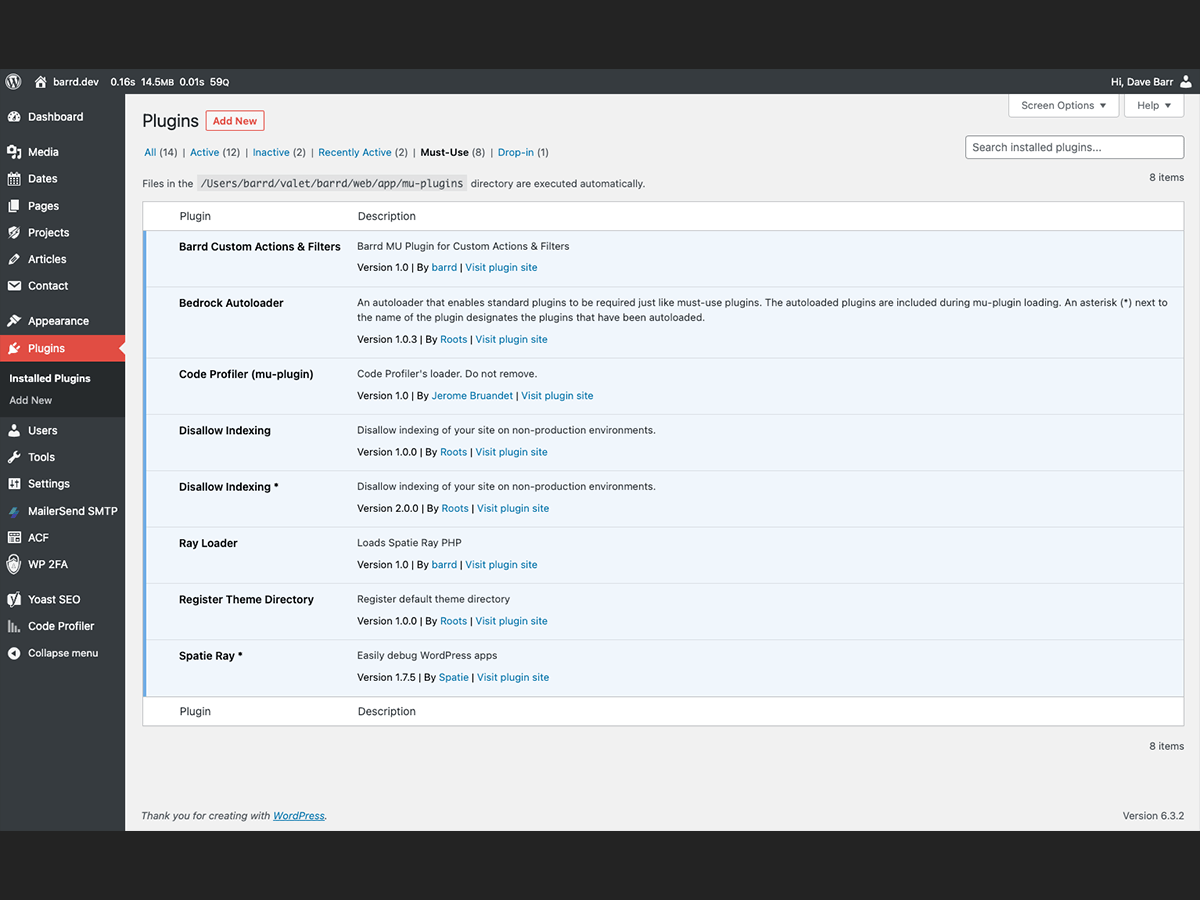
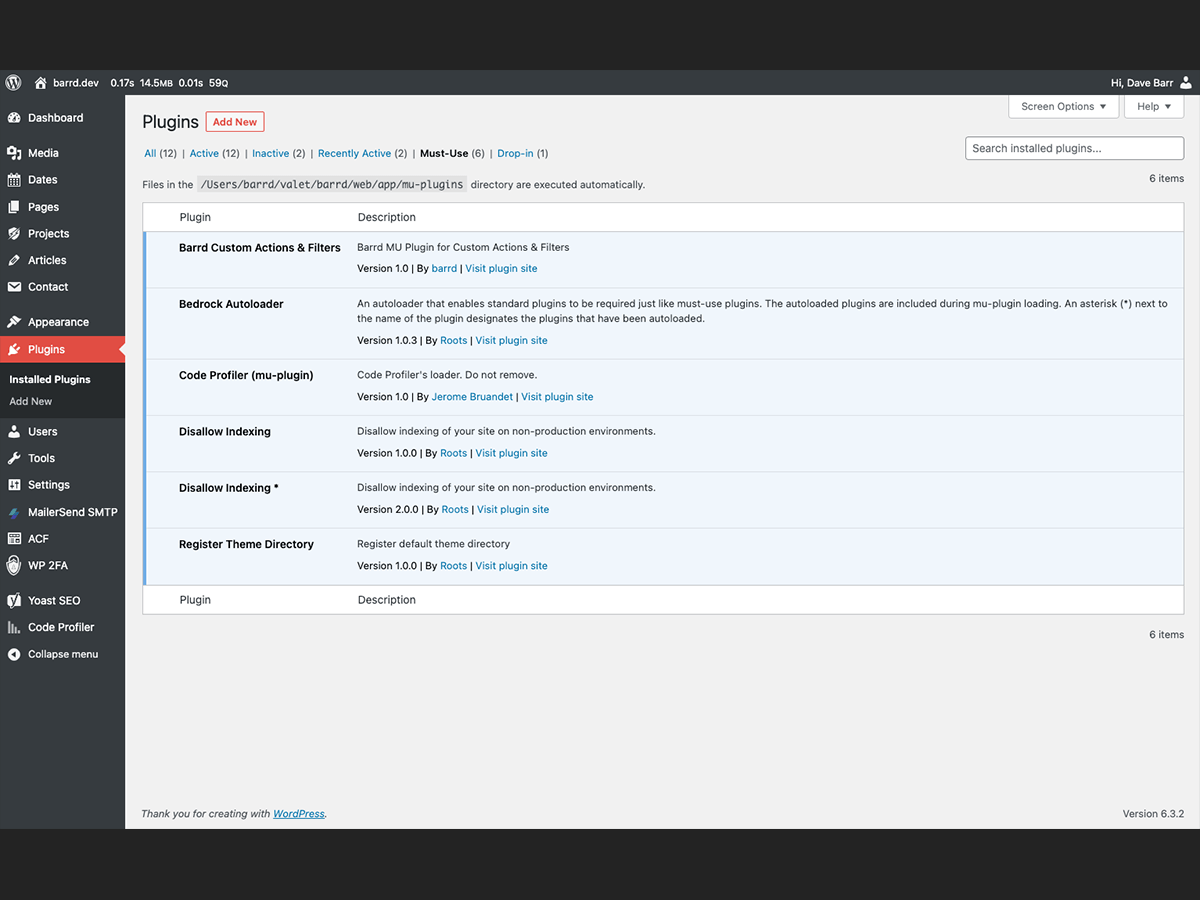
Image Index
Example code to hide plugins
Below is the code to hide ‘standard’ and ‘must-use’ plugins using the PHP function unset(). Read the section about finding the plugins basename below.
A plugin basename consists of the plugin directory, a forward slash, and then the name of the
PHPfile containing the plugin headers.
function barrd_filter_plugins_list( $plugins ) {
  unset(
    // Standard plugins.
    $plugins['all']['ewww-image-optimizer/ewww-image-optimizer.php'],
    $plugins['all']['limit-login-attempts-reloaded/limit-login-attempts-reloaded.php'],
    // Must-use plugins.
    $plugins['mustuse']['ray-loader.php'],
    $plugins['mustuse']['wordpress-ray/wp-ray.php']
    );
  return $plugins;
}
add_filter( 'plugins_list', 'barrd_filter_plugins_list' );
Standard plugins
Unsetting plugins from the['all'] array key will hide the standard plugins (See Images 01 & 02). In this example we’ve hidden the EWWW Image Optimizer and Limit log in attempts reloaded plugins.
Must-use (MU) plugins
Unsetting plugins from the['mustuse'] array key will hide the must-use / mu plugins (See Images 03 & 04). In this example we’ve hidden the Ray Loader and WordPress Ray plugins.
Finding the plugins basename
If you dump the value of the $plugins variable you can see the full names of all the plugins that are active. I use Spatie Ray and by simply adding;
ray( $plugins );The following is returned.
In image format

In text format
array:9 [
  "all" => array:14 [
    "acf-image-aspect-ratio-crop/acf-image-aspect-ratio-crop.php" => array:25 []
    "advanced-custom-fields-pro/acf.php" => array:27 []
    "barrd-stop-modified-update/barrd-stop-modified-update.php" => array:15 []
    "code-profiler/index.php" => array:25 []
    "contact-form-7/wp-contact-form-7.php" => array:25 []
    "ewww-image-optimizer/ewww-image-optimizer.php" => array:25 []
    "limit-login-attempts-reloaded/limit-login-attempts-reloaded.php" => array:25 []
    "mailersend-official-smtp-integration/mailersend-wordpress.php" => array:25 []
    "worker/init.php" => array:25 []
    "query-monitor/query-monitor.php" => array:25 []
    "redirection/redirection.php" => array:25 []
    "spinupwp/spinupwp.php" => array:25 []
    "wp-2fa/wp-2fa.php" => array:25 []
    "wordpress-seo/wp-seo.php" => array:25 []
  ]
  "search" => []
  "active" => array:11 []
  "inactive" => array:3 []
  "recently_activated" => array:3 []
  "upgrade" => []
  "mustuse" => array:9 [
    "barrd-functions.php" => array:14 []
    "bedrock-autoloader.php" => array:14 []
    "0----code-profiler.php" => array:14 []
    "bedrock-disallow-indexing/bedrock-disallow-indexing.php" => array:14 []
    "disallow-indexing.php" => array:14 []
    "0-worker.php" => array:14 []
    "ray-loader.php" => array:14 []
    "register-theme-directory.php" => array:14 []
    "wordpress-ray/wp-ray.php" => array:14 []
  ]
  "dropins" => array:1 []
  "paused" => []
]
From this we can see the (full) plugin names and under which array keys they are stored.
Final thoughts
The process to hide plugins from the list has been made far simpler with the addition of plugins_list rather than using all_plugins. It shouldn’t be used without a good deal of thought and ensure there are no better methods of achieving the desired result.
// End of Article
Article Information
Further Reading
- Misc. dev changes in WordPress 6.3 (make.wordpress.org)
- PHP Unset Documentation (php.net)
- Spatie Ray Debugger (spatie.be)
About Dave A.K.A. 'barrd'
