WordPress ACF blocks: Simplify the editor with slide-out field panels
Introduction
Whilst preparing for WordPress 7.0’s enforced iFrame editor I upgraded the Advanced Custom Fields (ACF) blocks from API version 2 to 3.
One design choice has a big impact on the editing experience. Setting mode: "preview" can clutter the interface and slow things down for more complex blocks.
This article explains why I moved away from full previews in favour of minimal preview placeholders paired with the editors slide-out fields panel. An approach that keeps the editor fast, clean and focused on content structure rather than visuals.
The problem with full preview mode
When you configure an ACF block with mode: "preview", the block attempts to render its complete output in the editor. This entails;
- Heavy rendering
Complex blocks with galleries, repeaters, or dynamic content can significantly slow down the editor. - Visual clutter
Seeing many full-size gallery images in the editor makes it hard to focus on content structure. - Performance issues
Each block re-renders as you type, which can cause lag with multiple complex blocks. - Layout confusion
The full preview can look very different from how it appears on the front end, leading to confusion about what you’re actually editing.
The alternative, showing fields in the sidebar is equally problematic. It breaks the visual flow and when there’s lots of fields it just gets… “messy.” 🙃
A better approach: Minimal preview + slide-out panel
Rather than rendering the full block preview I implemented a hybrid approach that gave me the best of both worlds. Instead of rendering the complete block, I chose a simple, styled placeholder that tells you what the block is, then lets you edit fields via the editors slide-out panel.
How it works
In the block template I intercept the preview rendering early;
<?php
// Preview handling.
$is_preview = $is_preview ?? false;
if ( $is_preview ) {
  barrd_acf_block_editor_preview( 'gallery', $gallery_title_short );
  return;
}

// Rest of the block rendering code (only runs on front end)...
?>
The precision of $is_preview
You might be wondering why I used ACF‘s $is_preview variable rather than WordPress’s is_admin() function to detect when to show the minimal placeholder. ACF provides this variable specifically for its blocks API. It’s passed to the template and is true only when rendering the block for display in the editor’s preview area.
Defensive programming
$is_preview = $is_preview ?? false;ACF should always provide this variable, but if for any reason it doesn’t (edge cases, or in future versions), the null coalescing operator (??) safely defaults to false.
The slide-out panel experience
Here’s where it gets good. When you select a block placeholder, the slide-out panel (Open Expanded Editor) is viewable in the sidebar.
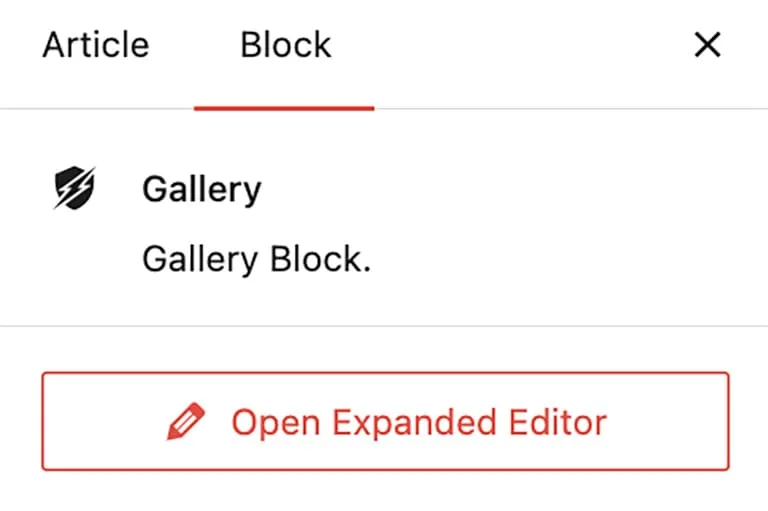
When clicked it shows all your custom fields in a clean, organised interface.
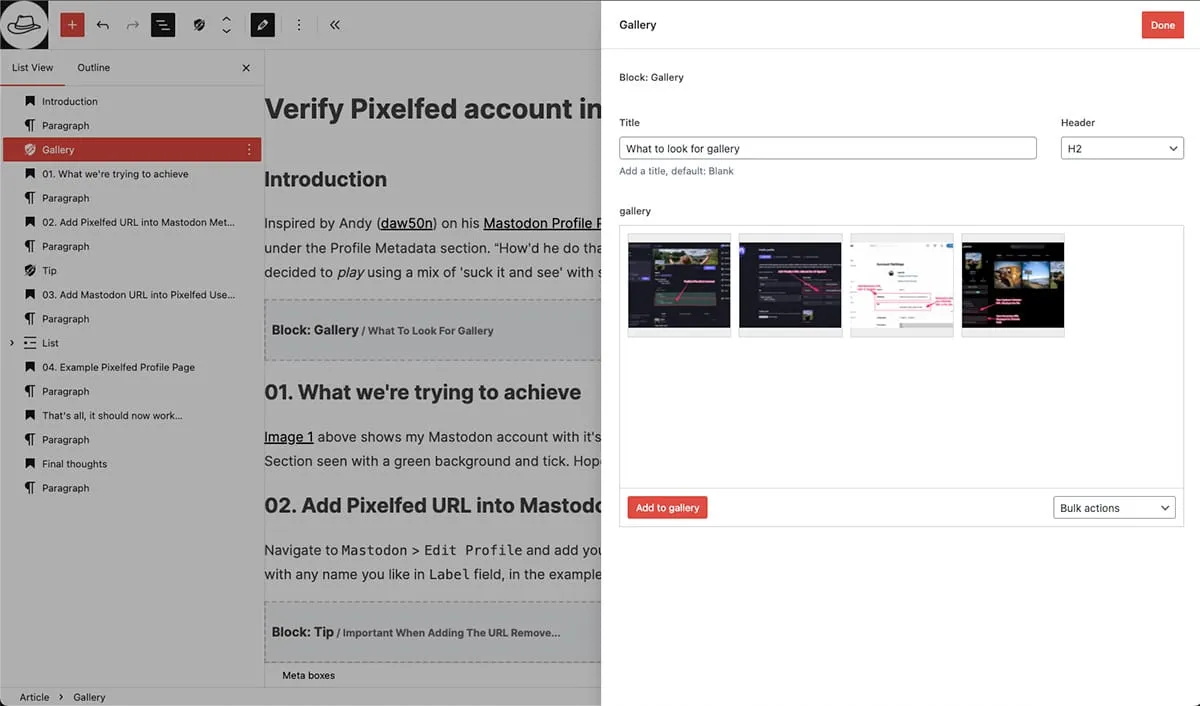
Putting it all together
The implementation is straightforward. In block.json, configure the block with preview mode;
{
  "acf": {
    "mode": "preview",
    "renderTemplate": "gallery.php",
    "blockVersion": 3,
    "hideFieldsInSidebar": true
  }
}
hideFieldsInSidebar: true is important, this ensures fields only appear in the slide-out panel and not bunched together in the sidebar.
Then create a simple helper function for consistent preview placeholders;
<?php
function barrd_acf_block_editor_preview( $block_name, $block_append ) {
  if ( $block_append ) {
    $block_name .= '<span> / ' . $block_append . '</span>';
  }
  ?>
  <div class="barrd-acf-block-preview">
    <h2>
      <?php echo wp_kses_post( 'Block: ' . ucwords( str_replace( '-', ' ', $block_name ) ) ); ?>
    </h2>
  </div>
  <?php
}
Each block template checks for preview mode and exits early with a placeholder;
Example 1
Simple block, no context needed.
<?php
if ( $is_preview ) {
  barrd_acf_block_editor_preview( 'last-updated', '' );
  return;
}
Adding context
Example 2
Complex block, show relevant context.
<?php
$gallery_title = get_field( 'title' );
$gallery_title_short = $gallery_title ? wp_trim_words( $gallery_title, 5, '...' ) : 'No Title';
if ( $is_preview ) {
  barrd_acf_block_editor_preview( 'gallery', $gallery_title_short );
  return;
}
The second parameter allows you to show useful context (like a gallery title or button text) without rendering the entire block.
Styling the placeholders
To make the placeholders visually distinct you can add editor specific styles;
// SCSS
.editor-styles-wrapper {
  .barrd-acf-block-preview {
    background-color: #f3f4f6;
    padding: 1rem 0.5rem;
    margin: 1rem 0;
    border: 2px dashed #ccc;

    h2 {
      font-size: 95%;
      line-height: 1;

      span {
        font-size: 80%;
        color: #6e6e6e;
      }
    }
  }
}
This creates a consistent look: dashed border, subtle background, clear typography. It’s immediately obvious these are placeholders, not actual content.
Migration strategy
If you’re working with existing ACF blocks, here’s how to implement this pattern;
- Update
block.json
Setmode: "preview"andhideFieldsInSidebar: true. - Create a helper function
Add something similar tobarrd_acf_block_editor_preview()to your theme. - Modify templates
Add the preview check at the start of each block template, before any rendering logic. - Add editor styles
Include something similar to.barrd-acf-block-previewstyles in your editor stylesheet (wrapped in.editor-styles-wrapper). - Test thoroughly
Open existing posts in the editor and verify the slide-out panel works correctly. - Roll out gradually
Convert blocks one at a time rather than all at once.
Final thoughts
Swapping from full previews to minimal placeholders has totally transformed my editing experience. It now loads faster, looks cleaner and makes content structure instantly clear.
If you can think of any improvements or have constructive comments reach out and let me know. Ta.
// End of Article
Article Information
Further Reading
- ACF Blocks Docs (advancedcustomfields.com)
- ACF Blocks v3 Docs (advancedcustomfields.com)
- ACF API Block v3 Schema (raw.githubusercontent.com)
- Preparing the Post Editor for Full iFrame Integration (make.wordpress.org)
About Dave A.K.A. 'barrd'
