Verify Pixelfed account in Mastodon
Introduction
Inspired by Andy (daw50n) on his Mastodon Profile Page, I’d noticed he had a verified Pixelfed account link under the Profile Metadata section. “How’d he do that?” I wondered to myself. After a quick fruitless search I decided to play using a mix of ‘suck it and see’ with some observations based on trial and error.
What to look for gallery
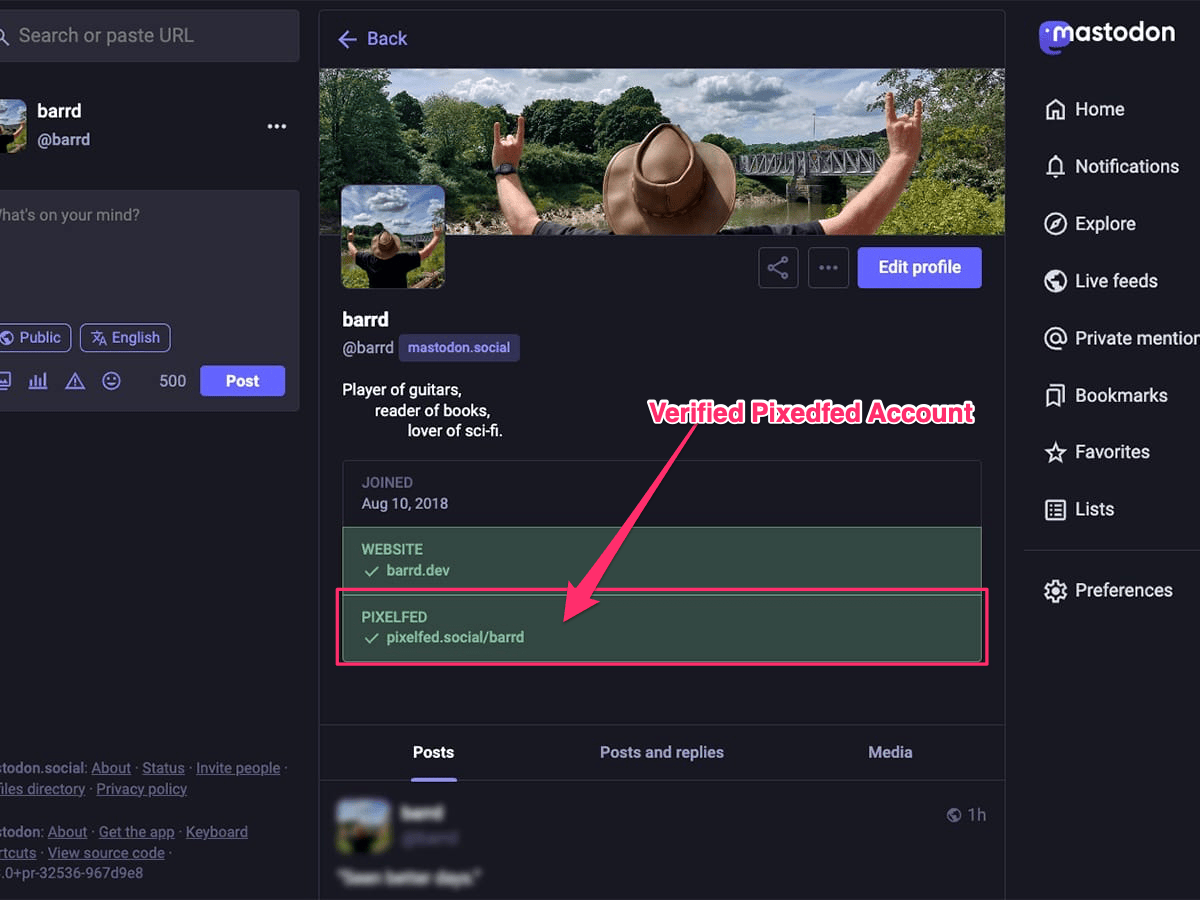
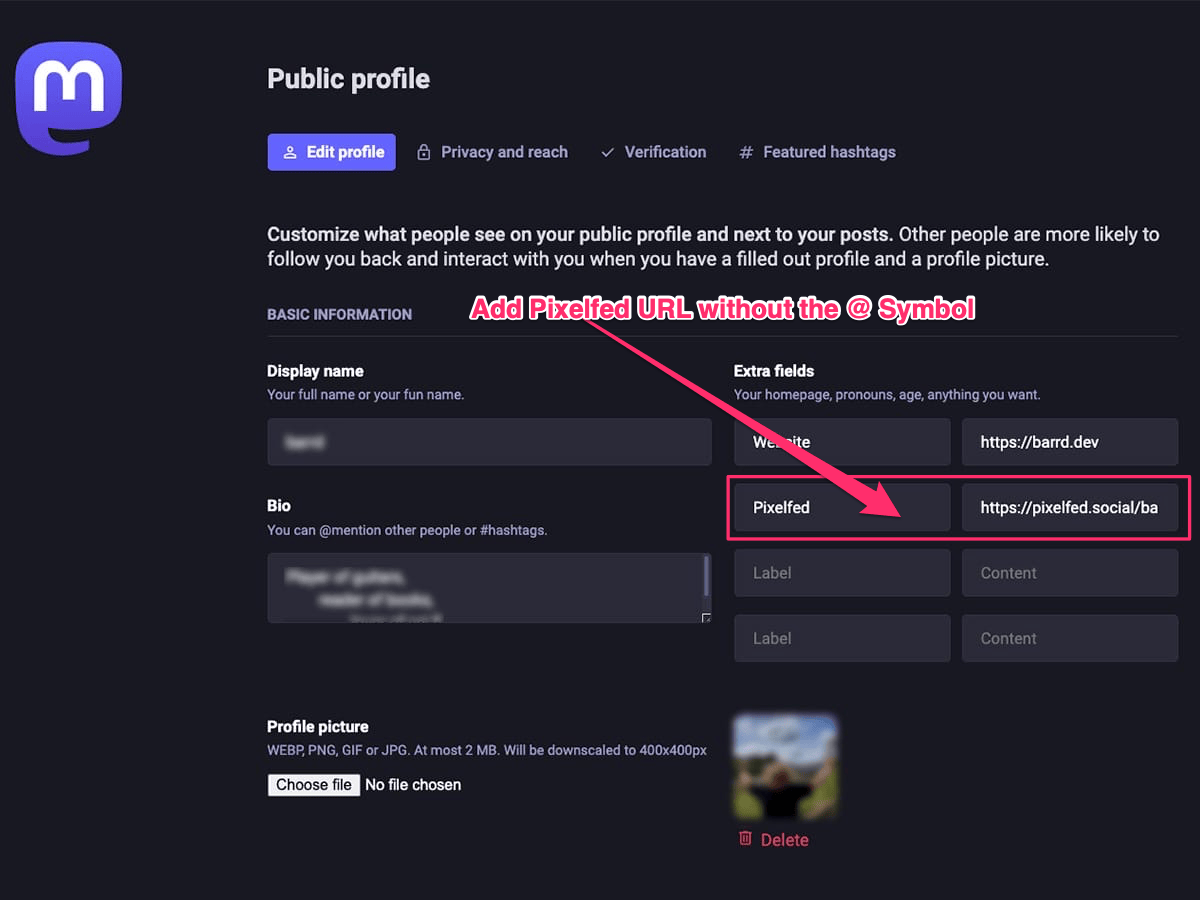
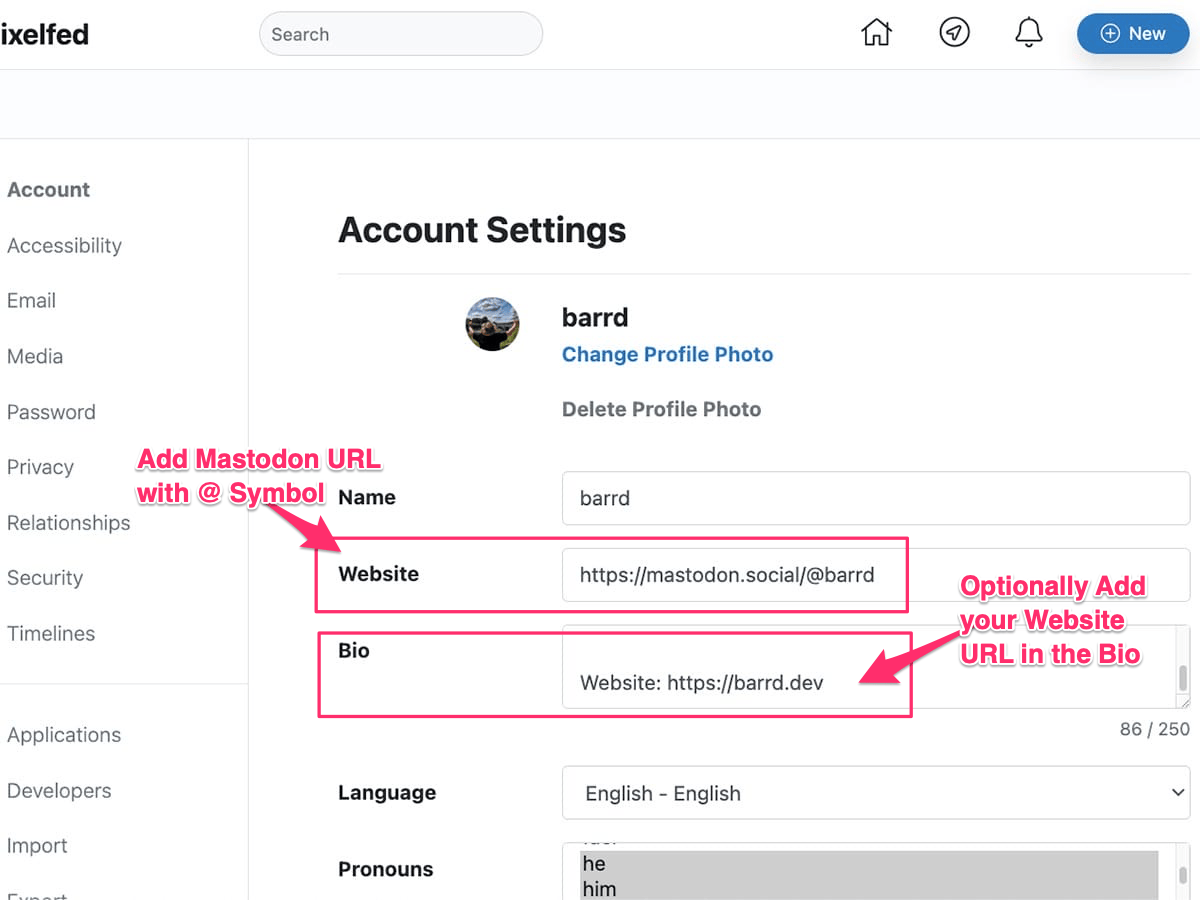
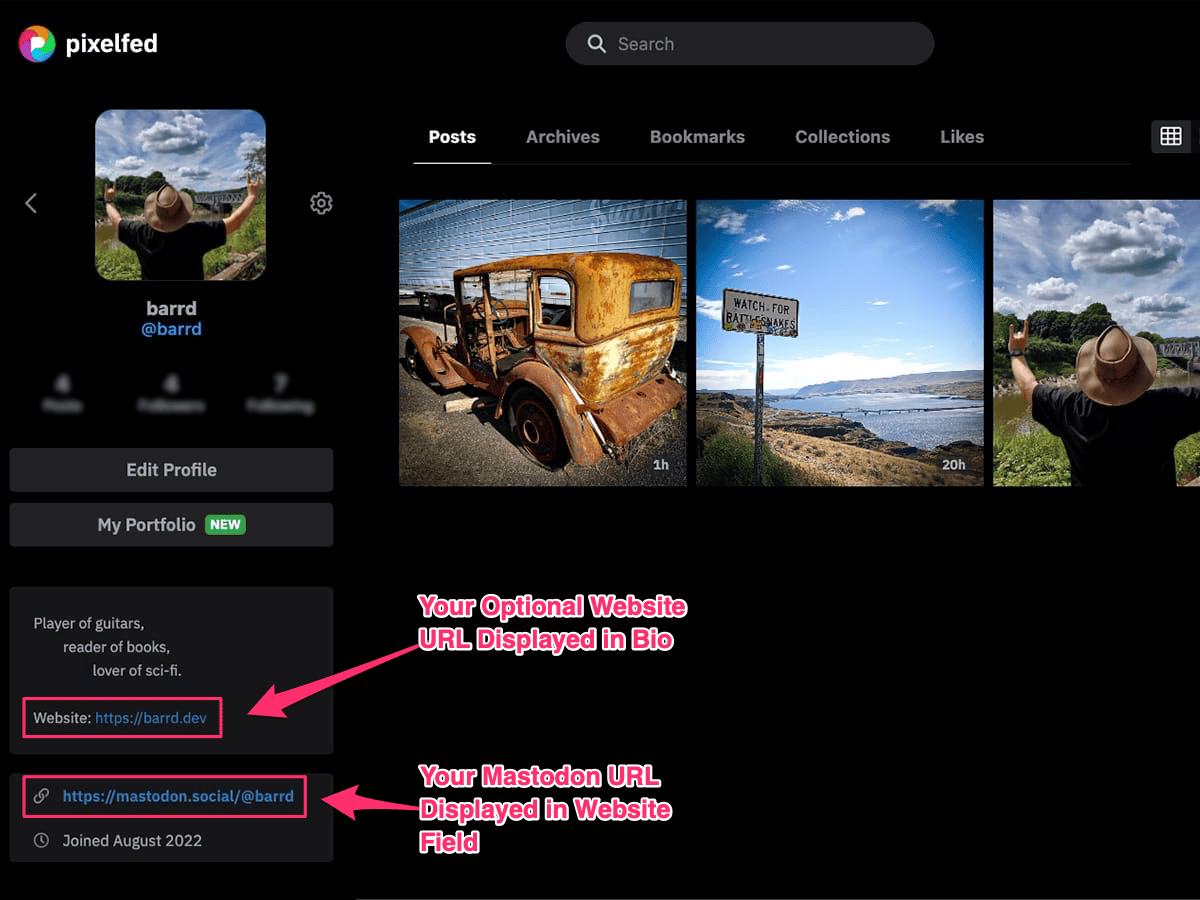
Image Index
01. What we’re trying to achieve
Image 1 above shows my Mastodon account with it’s associated Pixelfed account as a verified link in Metadata Section seen with a green background and tick. Hopefully we can achieve the same for you.
02. Add Pixelfed URL into Mastodon Metadata
Navigate to Mastodon > Edit Profile and add your Pixelfed URL into the Extra fields metadata section with any name you like in Label field, in the example above (See Image 2) I used Pixelfed.
Important
When adding the URL remove the @ symbol, e.g. mastodon.tld/@myhandle will become mastodon.tld/myhandle. This flummoxed me for a while until I spotted my mistake. ;)
03. Add Mastodon URL into Pixelfed User Settings
Image 3 above shows two highlighted fields in the Pixelfed User Settings screen;
- Website
Add your Mastodon URL including the@symbol. - Bio
Optional: As you’ve already used the website field to include the Mastodon account URL you can add your personal website URL here. Just add the address includinghttps://and it will show up as a link automatically.
04. Example Pixelfed Profile Page
Image 4 above shows an example of what the front end of your Pixelfed Profile Page will look like including the two edits from Point 03 above showing your Mastodon (and optional Personal Website) URLs.
That’s all, it should now work…
Once all the steps above have been completed the update to your Mastodon page shouldn’t take long, a few minutes at most. If it takes longer ensure you haven’t made any mistakes i.e. forgetting to remove the @ symbol.
Final thoughts
Simple when you know how but again far from intuitive and I’m sure it will change as the platforms evolve. Hope this has been useful and that I’ve saved you from some of the headaches trying to figure it out. If you add your Pixelfed link please give me a shout and maybe we can follow each other…
// End of Article
Article Information
Further Reading
- Andy's Blog (daw50n.net)
- Andy's Mastodon Profile (tecnfy.com)
- Pixelfed Home (pixelfed.org)
About Dave A.K.A. 'barrd'
