How to update Roots Bedrock boilerplate after deployment
Introduction
Bedrock presents a superb modern WordPress boilerplate system that enhances the folder structure with integrated Composer and Git functionalities. Regarding updating the package itself, there are both positives and negatives.
The upside is that frequent updates aren’t necessary since the package autonomously updates its critical components through Composer. However, the downside is that this process isn’t automated and requires manual intervention. Returning to positives, GitHub can be utilised to facilitate the comparison between two distinct versions, streamlining the process.
Comparing changes using GitHub
If you head over to the compare and review just about anything page at GitHub you can do a comparison between branches, tags, commit ranges, and time ranges. This will work in the same repository and across forks.
What to look for gallery
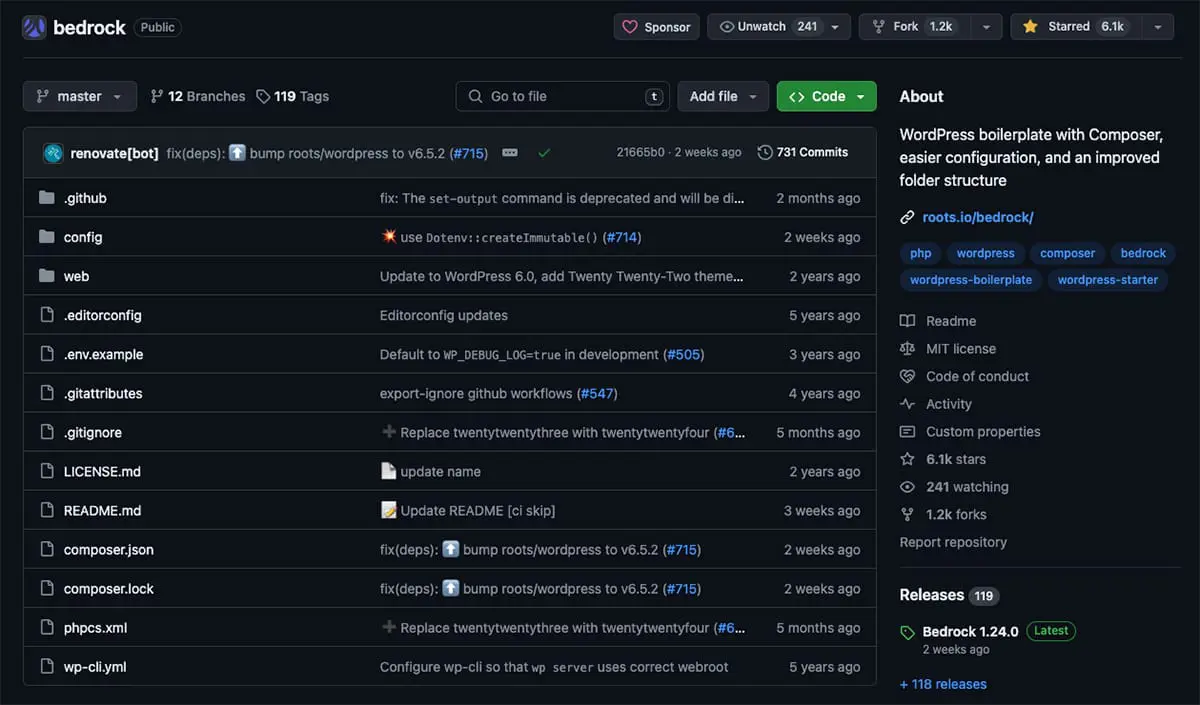
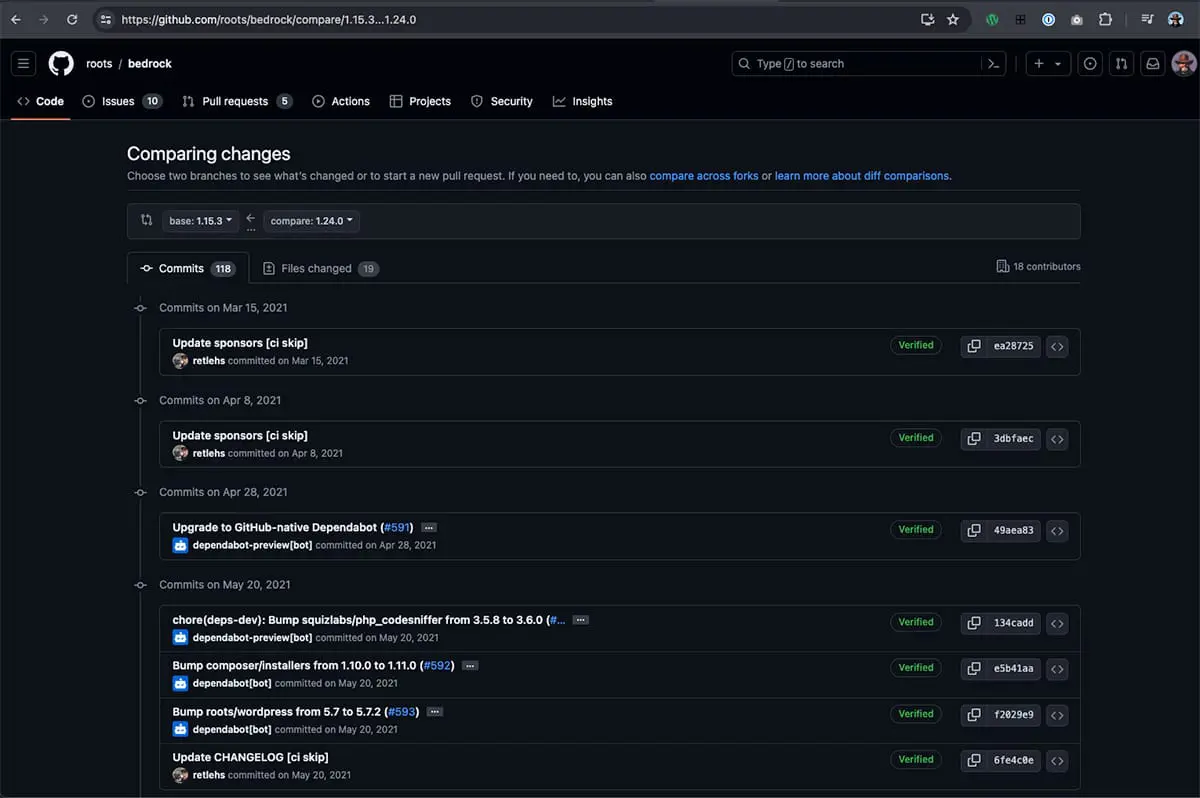
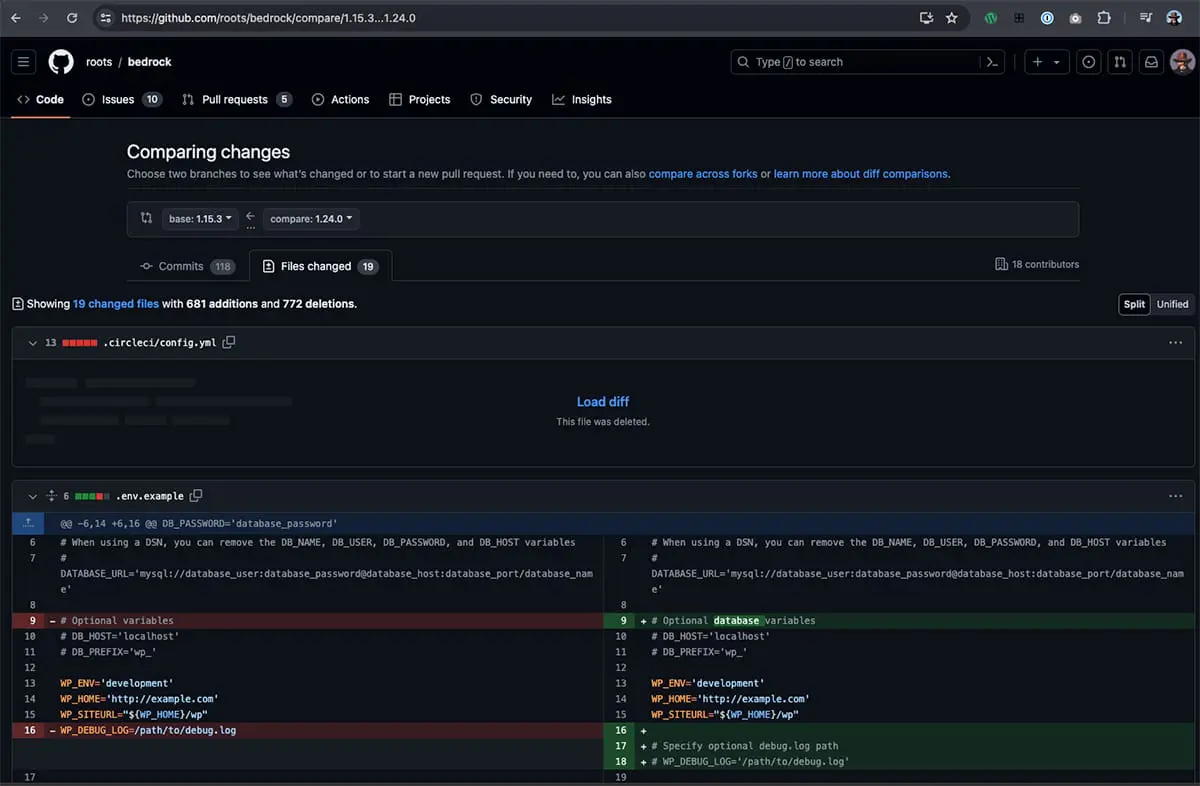
Image Index
Overview
The images above depict the stages of the process. The first image represents the current state of the Bedrock GitHub repository, showing the most recent updates. In the second image, you encounter this initial page when initiating a comparison. The third image displays the Files Changed page, which is pivotal to the task.
The simple way to do it
GitHub by default uses the three-dot Git diff comparison which shows the difference between the latest common commit of both branches and the most recent version of the topic branch. This can be seen (and edited) in the URL. For example;
https://github.com/roots/bedrock/compare/1.15.3...1.24.0You can manipulate the URL by substituting the last part (URL-path) with any versions you wish to compare, such as 1.15.3 and 1.24.0. Ensure to retain the three dots, like so: 1.15.3…1.24.0. Then, click on the Files Changed page link to proceed with editing in your preferred IDE.
Final thoughts
Although not entirely convenient, GitHub offers significant advantages that make the process considerably less arduous by highlighting the specific changes, thereby saving a considerable amount of time. Remember to back up everything, and best of luck with the updates.
// End of Article
Article Information
Further Reading
- Bedrock Homepage (roots.io)
- GitHub Homepage (github.com)
- GitHub Example Comparison Page (github.com)
About Dave A.K.A. 'barrd'
