Clearing Cookies and Local Storage in Google Chrome
Approx ~3 minutes reading time for 521 words.
Introduction
This short article is mainly as a reference for me as I keep forgetting how to locate and edit Cookies and Local Storage in Google Chrome, if you’re reading this then I hope it helps you too.
What to look for gallery
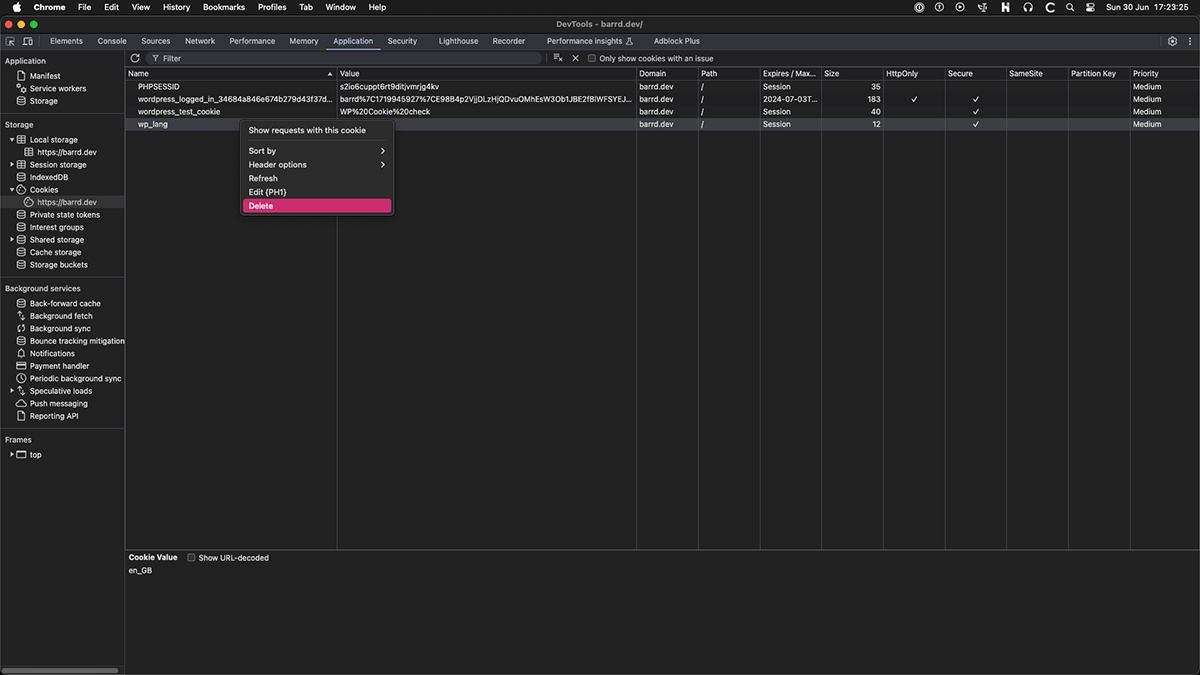
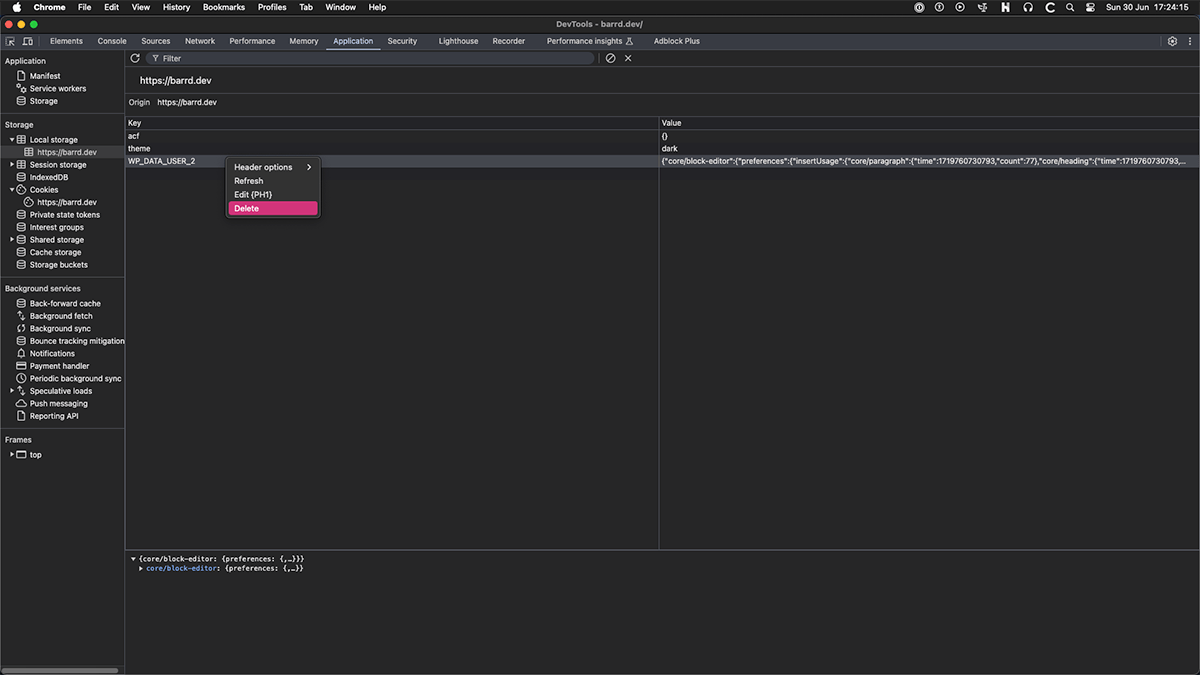
Image Index
Edit or delete Cookies
Both Cookies and Local Storage are under the same panel in Inspector but I’ll split them up and cover them separately to avoid confusion.
For reference see Image 1.
- Open Inspector ⌘ + ⌥ + I (Command + Option + I)
- Click on
Applicationin the top menu. - In the left hand panel select
CookiesunderStorage. - In the right hand panel select the element you wish to work with.
- Right click on that element to access the contextual menu.
Edit or delete Local Storage
For reference see Image 2.
- Open Inspector ⌘ + ⌥ + I (Command + Option + I)
- Click on
Applicationin the top menu. - In the left hand panel select
Local StorageunderStorage. - In the right hand panel select the element you wish to work with.
- Right click on that element to access the contextual menu.
Final thoughts
I’m fairly sure I was able to locate and do these tasks under preferences in the past but once knowing where to look I think this is a better way to do it. Happy editing!
// End of Article
Article Information
Further Reading
- Google Chrome UA (support.google.com)
- Google Chrome Inspector (developer.chrome.com)
About Dave A.K.A. 'barrd'

Dave is a Bristol based Scottish Expat who has 20+ years experience of web development. Loves playing guitar, reading books, watching Sci-Fi and tinkering with tech.